# One-click Importing

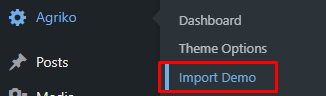
1\. Go to **Agriko ->** click **Import Demo**.

<figure><img src="https://706119920-files.gitbook.io/~/files/v0/b/gitbook-x-prod.appspot.com/o/spaces%2F14adr9dPR7suFFwDdNDp%2Fuploads%2F5IO9QmKq2DsbI1BtaD0z%2Fimage.png?alt=media&#x26;token=78758c35-dd24-4b6d-8589-15cfdb1027db" alt=""><figcaption></figcaption></figure>

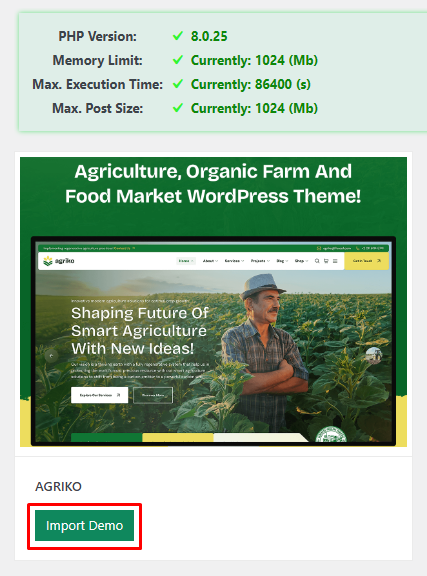
2\. Just click **Import Demo** and wait for the process to complete.

<figure><img src="https://706119920-files.gitbook.io/~/files/v0/b/gitbook-x-prod.appspot.com/o/spaces%2F14adr9dPR7suFFwDdNDp%2Fuploads%2F1lLEwERoYcpQQl6qSCme%2Fimage.png?alt=media&#x26;token=a3c15852-2997-43fe-a09f-a8f6f0d9a40a" alt=""><figcaption></figcaption></figure>

**Notice**: After importing demo data, if you see a missing image on the frontend, please do some steps below:

1. Go to **Elementor > Tools**

![](https://content.gitbook.com/content/14adr9dPR7suFFwDdNDp/blobs/l5i3YAKX5ueRqkkTfD5c/image.png)

![](https://content.gitbook.com/content/14adr9dPR7suFFwDdNDp/blobs/7nbZNOF60wpyKAh9zD9s/image.png)

2  When finished, you will have a nice site.