> For the complete documentation index, see [llms.txt](https://cmssuperheroes.gitbook.io/chani-wordpress-theme/llms.txt). Markdown versions of documentation pages are available by appending `.md` to page URLs; this page is available as [Markdown](https://cmssuperheroes.gitbook.io/chani-wordpress-theme/menu/creating-menu.md).
# Creating Menu
1\. From the '**Appearance**' menu on the left-hand side of the Dashboard, select the '**Menus**' option to bring up the **Menu Editor**.

2\. Select **create a new menu** at the top of the page
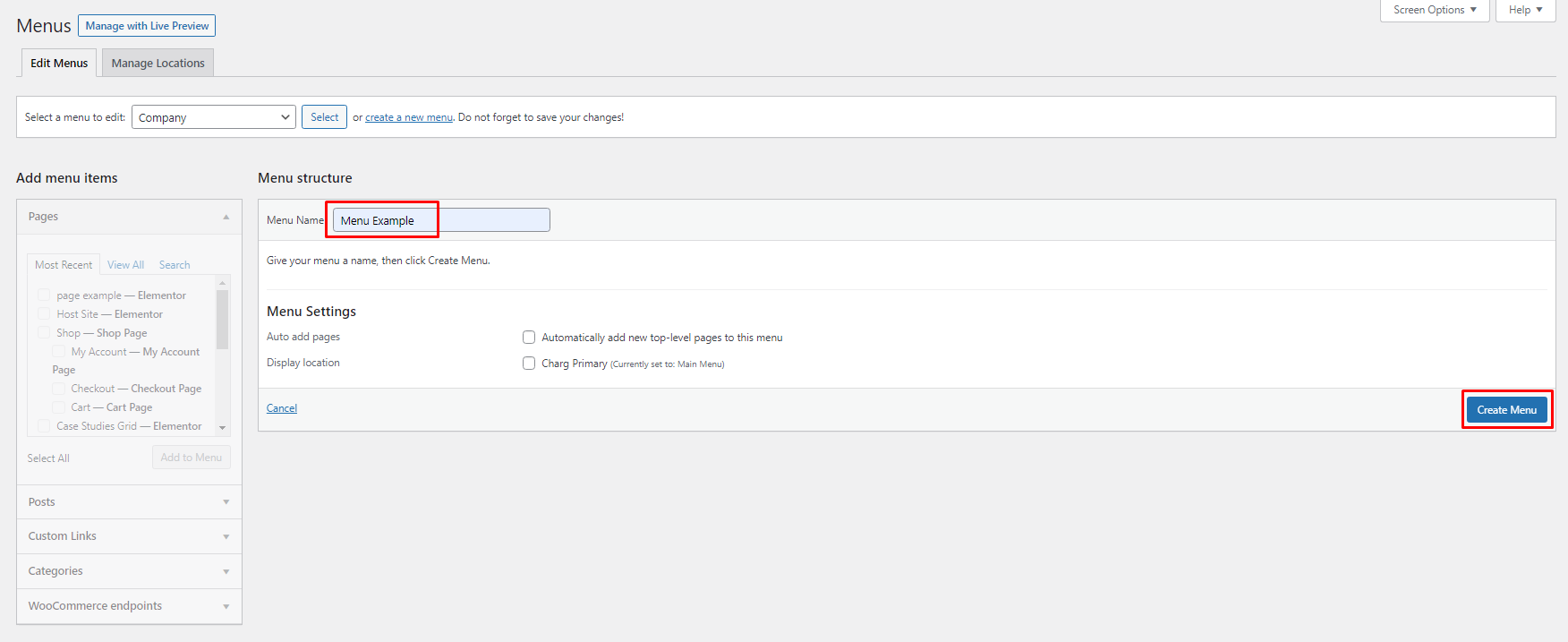
3\. Enter a name for your new menu in the **Menu Name** box.
4\. Click the **Create Menu** button.
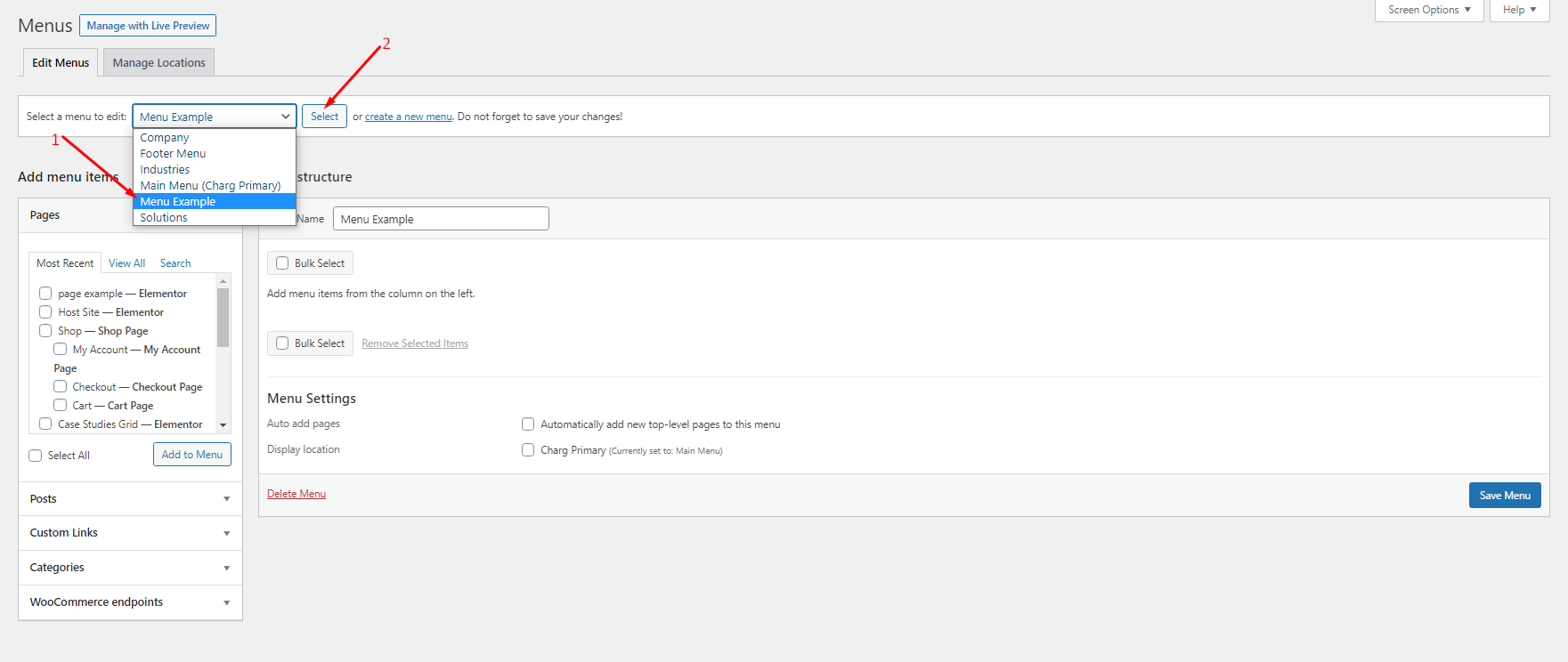
5\. Click **Select** button to select the menu created.
Your new custom menu has been defined.